Setting up a countdown on a confidence monitor: a simple guide
By Big Countdown team (Step Solution LLC) · Published October 26, 2026 · 4 min read
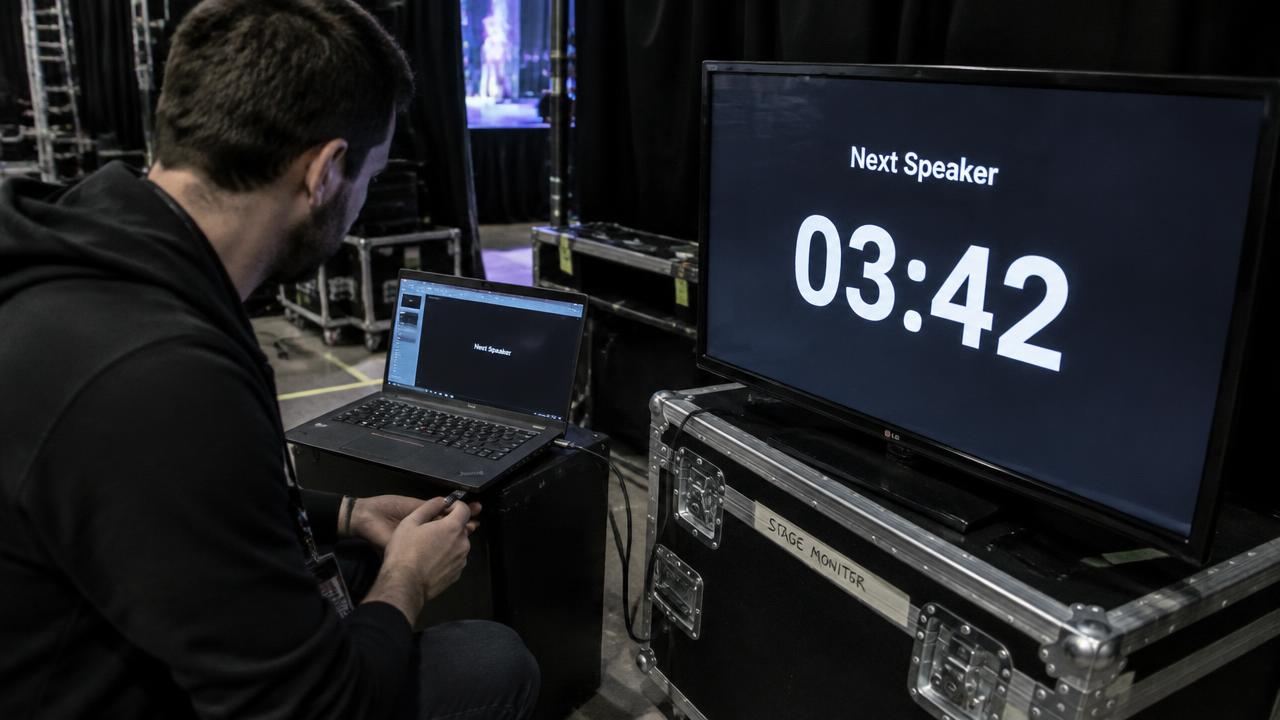
A confidence monitor is the screen facing the speaker, usually on the floor at the front of the stage. Putting a countdown on it is one of the cheapest ways to make a show run on time.
What you need
- A laptop with a modern browser.
- A cable or adapter to the monitor (usually HDMI).
- A browser-based countdown timer — no install required.
Connect and extend the display
Connect the laptop and set the display to 'extend' rather than 'mirror', so you can keep your run sheet on the laptop while the monitor shows only the timer. Drag the timer's browser window to the monitor and switch it to full screen.
Make it readable from the stage
- Use the biggest digits you can — the speaker reads it from a few metres away while talking.
- Prefer a dark background so the screen doesn't glare at the speaker.
- Hide anything except the time and, if needed, the session title.
Common mistakes
- Mirroring the display, so the audience sees your desktop when you switch windows.
- Laptop going to sleep mid-session — change power settings before the show.
- Leaving notifications on; turn on do-not-disturb.
Drafted with AI assistance, then checked and edited by the Big Countdown team.